
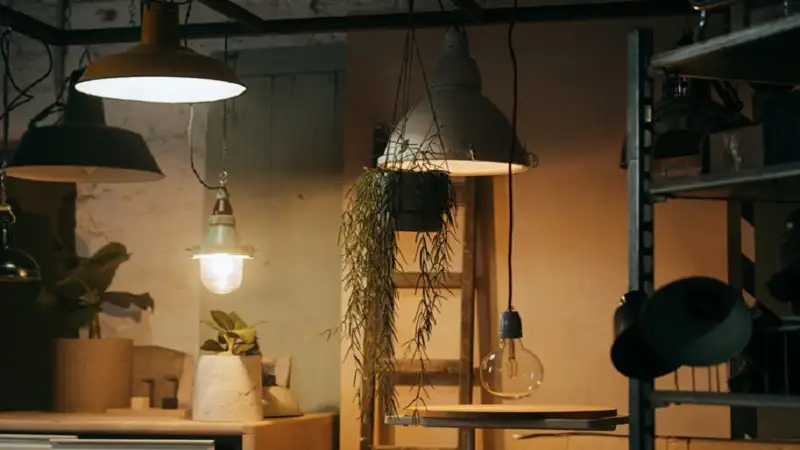
You can have plenty of light at your desk and still find something glaring or irritating. Everything in front of you may be clearly legible, but there may be an area of intense white light reflecting off the top of your PC screen. Or, if gaming with most other lights off, the image on screen may be uncomfortably intense.
As you can imagine, there are a number of home lighting upgrade ideas that can help reduce glare and improve comfort around your desk. Providing sufficient light for various activities and avoiding extremes of light and dark are key principles. Many of these suggestions can improve home office lighting without extra fittings, though others may need a new lamp.
What You’ll Learn
- Eliminate obvious causes of glare
- Use different types and amounts of light
- Select appropriate fittings
- Position additional game room lighting carefully
- Tweak how you use your screen
- Summary
Eliminate obvious causes of glare
With your PC screen switched off, sit at your usual position and inspect it for reflections. You may be able to pick out the outline of a window, or the naked bulb of a ceiling fitting. Once identified, these should all be addressed.
As much as possible, position yourself at 90 degrees to any windows. It will of course depend on your room layout, but a desk perpendicular to the window is preferable to one facing towards or away from the window. Blinds will be helpful to block some of the intensity from direct sun.
Other ceiling or wall lights around you may also be too intense to look up towards. A suitable shade can shield the bulb from direct view and diffuse the light falling downwards.
Prolonged exposure to high levels of light and glare can lead to eye strain and headaches, according to OSHA. So it’s beneficial to address any glaring lights, instead of increasing screen brightness to counteract them.
Use different types and amounts of light
It would be inconvenient to only have a single general lighting level suitable for all activities. As described above, split the various functions around the room so they can each be lit appropriately:
- General level to allow movement and awareness of surroundings
- Additional focused light to read from books, notes, etc.
- Further lighting for ambiance during gaming
As an example, it would be beneficial to be able to switch on just a desk lamp, and leave the general room lighting at a reduced level. Having these on independent switches will be very useful.
There is a wide choice of desk, wall and ceiling fitting types available, for example on Lightopia. Products are categorized according to fitting type and location, such as for offices.
Try switching various lights on and off in your room in the evening. Try various permutations and see whether increased light, decreased light, or additional switching would be beneficial.
Select appropriate fittings
Having decided where additional lighting may be beneficial, consider the nature of each fitting. In particular, where the light will fall, and if the bulb can be directly seen.
It may be useful to have an articulating lamp, allowing you to aim the light directly where required. Clamping to the edge of a desk could be advantageous, and multiple lamps could be provided if the desk is shared.
Also be mindful of any other shiny or reflective surfaces nearby that may cause further glare, such as the surface of the desk. Changing to a different material or adding a desk mat may alleviate this.
Some points to note when selecting bulbs:
- The number of lumens is indicative of the amount of light emitted, whereas wattage refers to the power consumed.
- If desired, select dimmable options, ensuring you use compatible bulbs.
- The ‘color’ will range from warmer to cooler whites. Warmer may be preferable for general gaming lighting, while neutral or cooler whites may suit reading.
With lower running costs, LEDs are ideal to use on a regular basis. However, it’s easy to overshoot the amount of light required, so select suitable levels for the application, and ideally with some shading around the bulb.
Position additional game room lighting carefully
There will likely be additional decorative lighting around a typical game room. View the location from your seated position to assess any impact.
Where possible, position any strips so that only the indirect light is visible, such as around the perimeter of a unit. Aim this away from yourself and your screen, and select a suitable intensity.
Some light on the wall behind screens can reduce the contrast between a bright screen and a dark room. Of course, avoid hotspots beside, or reflecting onto, your screen.
If you have multiple screens, ensure you check all angles as appropriate.
You’ll want some level of general lighting available to navigate the room and see details, such as instructions on game cases.
Tweak how you use your screen
Of course, there will be other factors contributing to eyestrain. In a 2026 survey of 1,089 U.S. adults, The Vision Council found that 78% reported eye fatigue after screen use at least once in the preceding three months.
As discussed, it’s beneficial to vary the brightness of your screen in line with ambient light. Increase font size where possible to avoid straining, and ensure the screen is as clean as possible.
Position the screen centrally, a suitable distance from you, with the top approximately at eye height when seated. Avoid having to stretch to look up or down at the screen, or lean in to read.
Periodically relax your eyes by looking further away, and ensure adequate blinking, as reduced frequency when looking at screens is thought to cause dryness (National Eye Institute). Seek medical advice for ongoing problems.
Summary
With some consideration to lighting levels around you, you should be able to comfortably work and game. Inspect the screen for reflections, illuminate areas as required for close-up reading, and provide general lighting as appropriate.
Make adjustments to existing fittings, and only consider new ones as necessary. Explore more on PlayBattleSquare!