
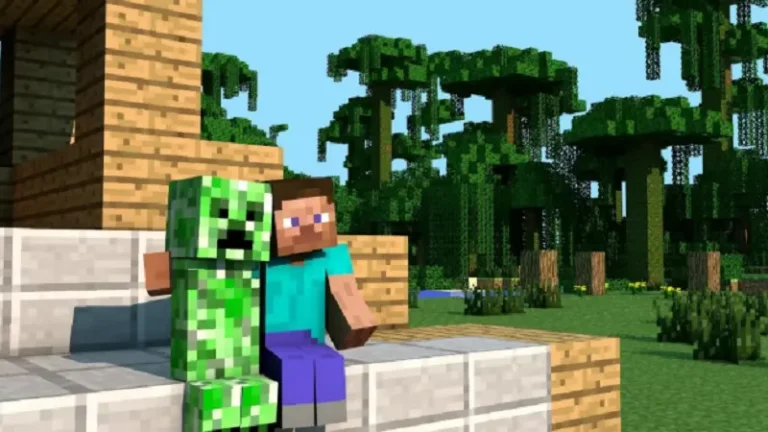
Online gaming has completely transformed the way people socialize, collaborate, and compete. Minecraft, in particular, has grown from a simple sandbox builder into one of the most active multiplayer ecosystems on the planet. Whether you are a solo player looking for a reliable server, a server admin trying to grow your community, or a content creator hunting for active gaming groups to collaborate with, knowing where and how to find the right people can make or break your experience.
Over the past several years, I have spent an enormous amount of time navigating Minecraft communities across dozens of platforms. What I have learned is that finding great players and admins is not just about luck. It is about knowing the right spaces to look, the right questions to ask, and the right tools to use when things get a little more complicated.
Start With the Obvious Places First
The most accessible starting point for any Minecraft player looking to connect with others is the in-game server browser itself. Both Java Edition and Bedrock Edition offer featured server lists where you can jump into established communities instantly. These servers typically run active Discord communities alongside them, which is where real relationship-building happens.
Reddit is another goldmine. Subreddits like r/MinecraftBuddies, r/admincraft, and r/Minecraft are full of players posting server invitations, looking for teammates, or sharing technical resources for server management. The r/admincraft community in particular is incredibly useful if you are on the administrative side of things, offering everything from plugin recommendations to troubleshooting advice from experienced server operators.
Discord Is Where the Real Communities Live
If you have not yet explored Discord as a tool for finding Minecraft communities, you are missing out on the most active space in gaming social networking. Platforms like Disboard and Discord.me allow you to search for servers by game, theme, and player count. Within minutes, you can find active Minecraft communities organized around survival gameplay, creative builds, role-playing servers, mini-games, and more.
Once inside a Discord server, take time to introduce yourself in the designated channels, engage with ongoing conversations, and participate in events. Server admins notice engaged members quickly, and those relationships can lead to moderation roles, partnerships, or invitations to exclusive gaming sessions.
Finding Server Admins and Community Leaders
Sometimes connecting with specific server administrators or community managers requires a bit more initiative. You might have played on a server months ago and lost the contact info for the admin, or you are trying to reach out to a community organizer whose social profile has gone quiet.
In situations like these, tracking someone down with only partial information can feel impossible. Fortunately, there are resources built specifically for locating contact details when you only have a name, username, or general location to go on. This tool is one option that a number of people in the gaming and community management space have found useful when trying to reconnect with former collaborators or locate admins of established servers. It is worth bookmarking if you ever find yourself in that situation.
Social Media Platforms That Actually Work for Gamers
Beyond Discord, several social media platforms have proven genuinely effective for Minecraft networking. YouTube and TikTok creators who publish Minecraft content regularly host community tabs, membership groups, and comment sections that are active with engaged players. Leaving thoughtful comments or engaging with a creator’s community posts can open doors to group chats and private server invitations.
Twitter and Bluesky have smaller but highly passionate Minecraft communities. Searching hashtags like #Minecraft, #MinecraftServer, or #SurvivalMinecraft will surface posts from players actively seeking collaborators. Following server admin accounts and engaging with their content is one of the most natural ways to get noticed without feeling intrusive.
Joining Gaming Forums and Fan Sites
Old-school forums still hold tremendous value in the Minecraft world. The official Minecraft forum at Minecraft.net and third-party communities like Planet Minecraft allow players to post recruitment threads, share builds, and collaborate on projects. Planet Minecraft in particular has a thriving server listings section where admins post detailed descriptions of their communities, making it easy to find a server that fits your play style before you ever log in.
Fan wikis and modding communities like CurseForge also have active comment sections and community spaces. If you are into modded Minecraft, these are essential spaces to spend time in, as many collaborative modpack projects begin with strangers meeting in exactly these kinds of places.
Building Long-Term Connections That Last
Finding other Minecraft players is honestly the easy part. Turning those initial encounters into lasting friendships or productive working relationships takes consistent effort. Show up regularly on the servers you join. Contribute to Discord discussions even on days when you are not actively playing. Offer help to new players when you see them struggling. These small investments add up quickly and signal to community leaders that you are someone worth bringing closer into the fold.
If you are running your own server or community, prioritize responsiveness. Players who feel heard and respected by admins are far more likely to recruit their own friends and stick around long term. A server with fifty loyal, active players will always outperform one with five hundred inactive accounts collecting digital dust.
The Minecraft community remains one of the most welcoming in all of gaming. With the right approach and a willingness to put yourself out there, finding your people is far more achievable than it might initially seem. See more!